Free & open sourceOn phones, tablets and computers
A PDF editor that edits the file.
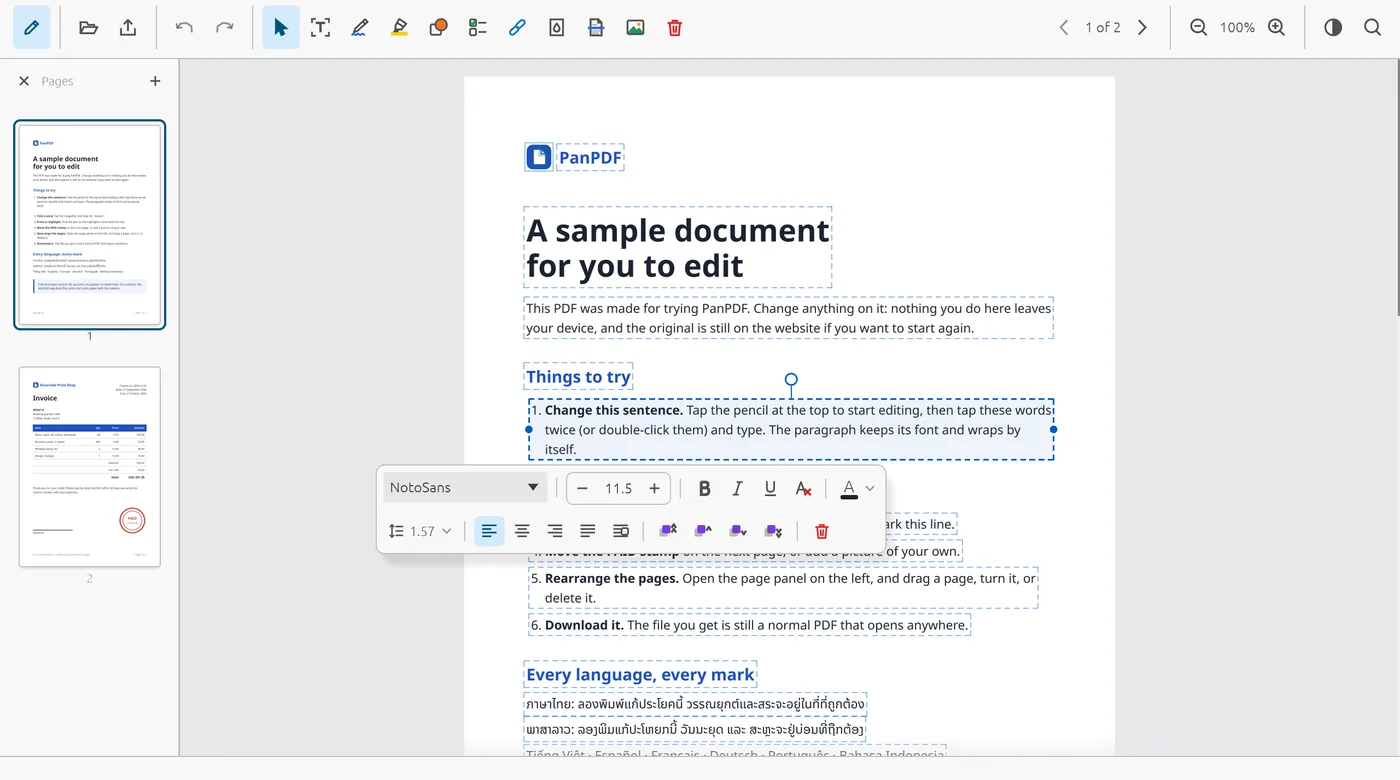
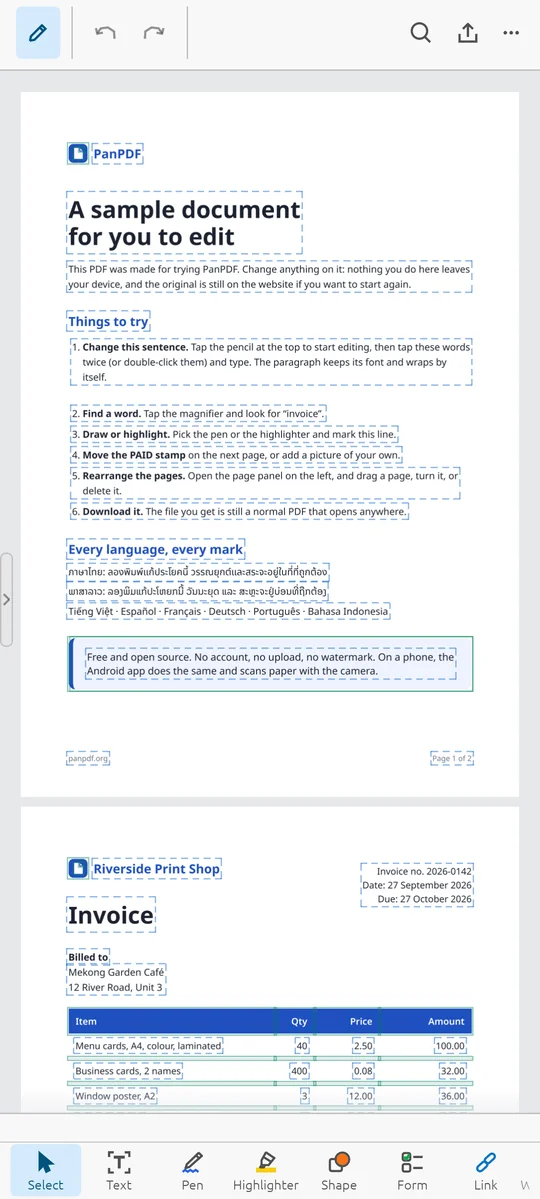
Retype a sentence, move a picture, reorder the pages. PanPDF makes the change inside the file itself — what you edited changes, and everything else stays exactly as it was.
Free, no account, nothing uploaded: the PDF stays in your browser.
Early development. PanPDF works on real documents but is not finished, so expect some bugs. Keep a copy of files that matter, and tell us what broke.
Desktop version 0.1.0 · Download for Windows, Linux or macOS
What PanPDF does well.
Open a PDF, change what needs changing, save. Your document keeps its own fonts, its own structure and its own protection.
- Text where it sits
- Retype a line and the paragraph reflows, in the document’s own font, size, colour and spacing.
- Any alphabet
- Shaping, marks above and below the line, and line breaks follow the language of the text.
- Pictures and drawings
- Add, move, scale, turn and delete them. Text flows around what you place.
- Pages
- Reorder by dragging, rotate, delete, insert from another file, or take pages out into a new one.
- Forms
- Fill them in, and the form still works for the next person.
- Protected files
- Open a password-protected document and save it back still protected. Signatures are checked, not stripped.
- Scanned pages
- Recognise the words on a scan so they can be searched and copied.
- Straight answers
- When an edit cannot be made exactly, PanPDF tells you so and why, rather than approximating.
documents from our test collection came back byte-for-byte identical after being opened and saved with no edit.
Measured on the 0.1.0 build across 1,167 PDFs, the same way on every release.Every PDF tool, free in your browser.
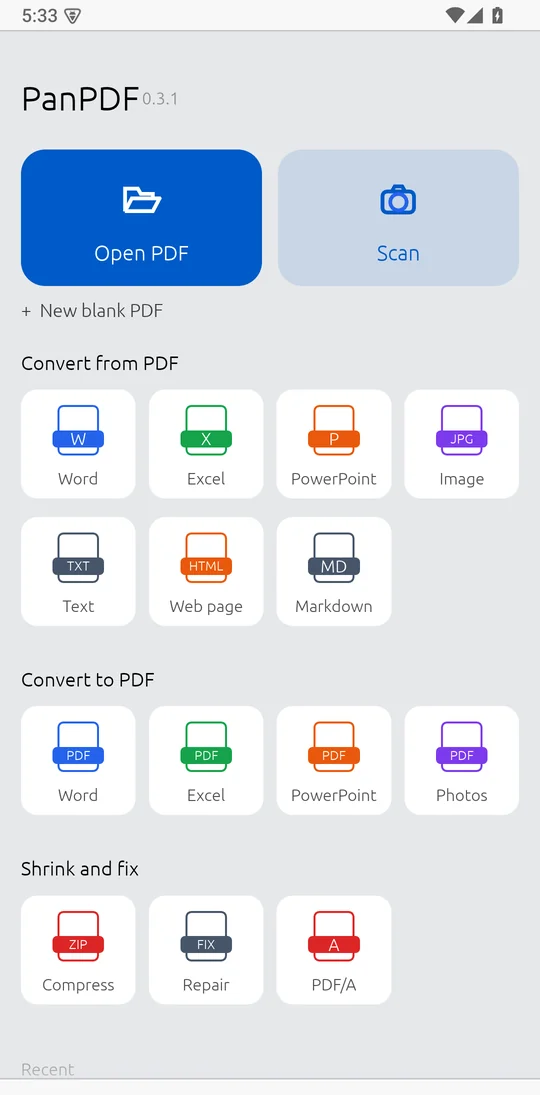
Convert PDF to Word, Excel, PowerPoint and JPG and back, compress, repair, OCR, sign, redact, compare, protect and unlock. The work is done on your device, so your files are never uploaded.
- PDF to WordTurn PDFs into DOCX you can edit, tables and pictures kept.
- PDF to ExcelPull the tables out of a PDF into a spreadsheet.
- PDF to PowerPointEvery page becomes a slide you can edit.
- PDF to JPGEvery page as a picture, or the pictures inside the PDF.
- PDF to HTMLA web page from a PDF, text you can search and link.
- PDF to MarkdownHeadings, lists and tables as Markdown text.
- PDF to TextAll the words of a PDF as plain text.
- PDF to PDF/AThe archive format courts and archives ask for.
- Word to PDFTurn DOCX documents into PDF, every script set right.
- Excel to PDFTurn XLSX spreadsheets into PDF pages.
- PowerPoint to PDFTurn PPTX slide decks into PDF.
- JPG to PDFTurn JPG, PNG and GIF pictures into a PDF.
- Scan to PDFPhone photos of paper become clean, straight PDF pages.
- HTML to PDFTurn a saved web page into a PDF.
- Compress PDFMake a PDF smaller while it still looks right.
- Repair PDFRecover what can be read from a damaged PDF.
- OCR PDFMake a scanned PDF searchable: its words become text you can find and copy.
- Edit PDFRetype text, move pictures, reorder pages and fill forms, in the file itself.
- Unlock PDFRemove the password from a PDF you may open.
- Sign PDFAdd your signature: drawn, typed or a picture.
- Redact PDFRemove words for good, not just cover them.
- Compare PDFSee what changed between two versions of a PDF.
- Protect PDFLock a PDF with a password (AES-256).
On your phone too.
The PanPDF app for Android edits PDFs the same way, and turns paper into PDF with the camera: it finds the page, straightens it and can read its words.
- Scan paper into a clean, straight PDF
- Read the words on scans (OCR), with no internet
- Edit text, sign, highlight and fill in forms
- Free, with no account
Not on Google Play yet, so your phone asks once whether your browser may install apps. On an iPhone or iPad, open the editor in Safari and add it to your Home Screen.
Open source, every line of it.
PanPDF is public under the GNU AGPL-3.0. Read how it works, build it yourself, report a problem or send a fix. Written in Rust, with no C library linked in.
$ git clone https://github.com/panXDgaming/panpdf.rs
$ cd panpdf.rs
$ python3 fonts/vendor.py   # fonts it falls back on
$ cargo build --release -p pdf-desktop
$ ./target/release/pdf-app document.pdf